The blog ·
Website development: you don’t need a ‘MODX developer’!

When we explain why we work with MODX, we’re often told:
“MODX isn’t very well known; I’m worried I won’t be able to find any developers.”
In 2016, the American graphic designer Anne Miles addressed this objection in an article that we adapted into French: ‘You don’t need a MODX developer’. Ten years on, MODX is now on version 3; we’ve been building our websites with it since 2007, and our answer remains the same: you don’t need a ‘MODX developer’. That’s actually one of the reasons why we chose it.
With MODX, all you need is a web developer
The most widely used CMSs — WordPress, Drupal, Joomla — are based on their own specific structures: cascading templates, hooks, child themes. You need to master them to get the most out of them, and the learning curve is steep as soon as you stray from the beaten track.
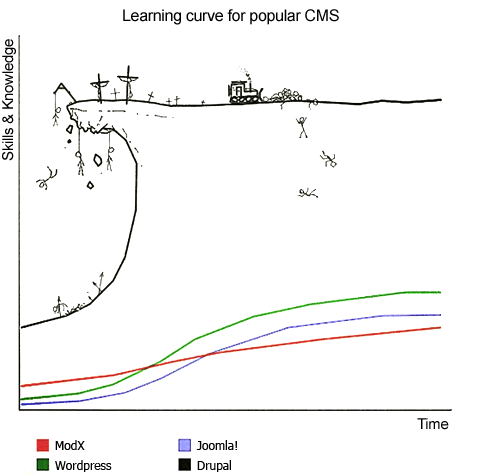
MODX is based on a simpler principle: you write your page in HTML, with its CSS and JavaScript, then you replace the variable parts with MODX tags. That’s pretty much all you need to know to build a showcase website: a web developer can get to grips with it in an hour’s reading. PHP is only used for one very specific function.
MODX’s slogan has long been ‘Creative Freedom’. This freedom is very real: no theme imposes a fixed layout, and the designer can implement exactly what they’ve designed. This is why developers who discover MODX often remain loyal to it.
No need for an army of extensions
MODX includes out of the box what other CMSs require you to add: drafts and scheduled publishing, hidden menu pages, members-only areas, multiple media sources, multiple sites on a single installation, and highly granular access rights — which, incidentally, is the part that takes the longest to learn. When a feature is missing, most PHP developers can write it without difficulty; and when the need is widespread, the community eventually shares it in the form of an extra.
Developer Zack Wallace summed it up as follows, in the discussions quoted by Anne Miles: WordPress is easy as long as you don’t ask for anything beyond its themes and plugins, but as soon as the client wants ‘that little bit extra’, you have to learn all the inner workings of the system. With MODX, a bespoke design can be put together straight away.
Your teams can update the site without a developer
To edit the content of a MODX site, you don’t need a developer at all. The content and the code that powers the site are separate: a typing error can be corrected without breaking the site. A sales assistant, a communications officer or a manager can update their pages without any special training.
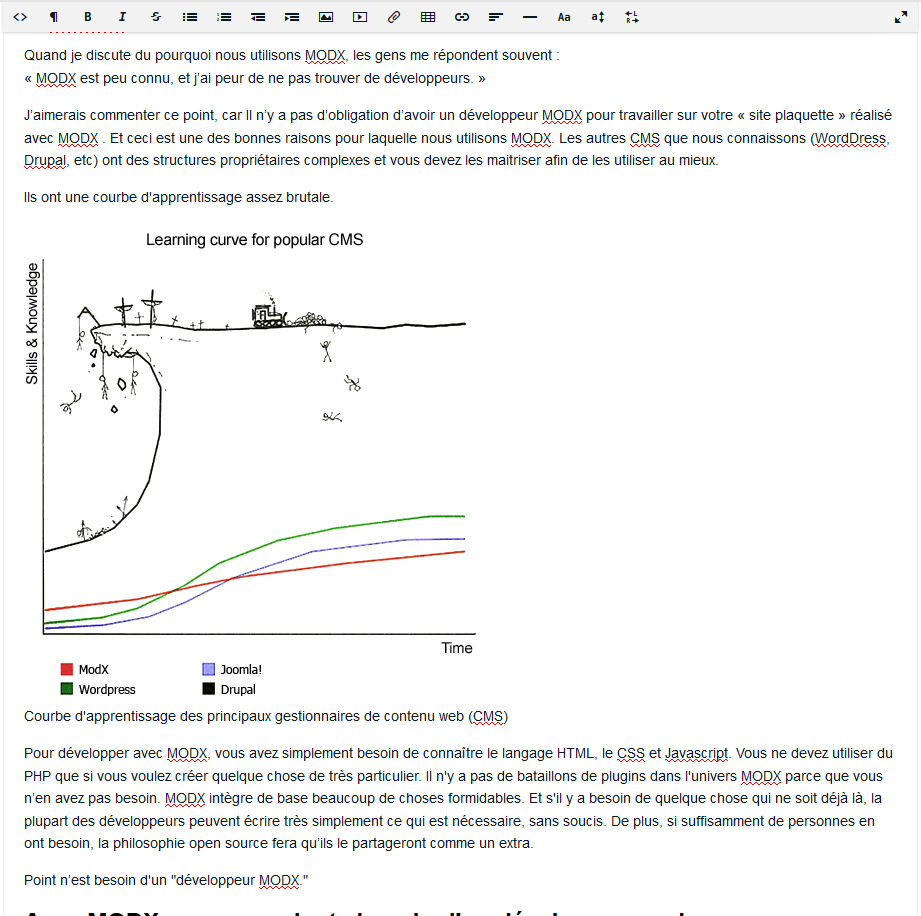
Over the past ten years, the content management system has changed in appearance, but not in principle. With ArteZya, you no longer fill in a form alongside the page: you edit the page itself, block by block, exactly as your visitors will see it.
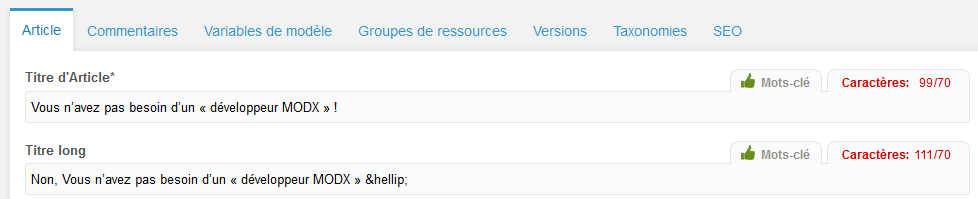
The text editor can easily be changed if you don’t like the default one; you can even write in Markdown. SEO, keywords and redirects are all managed from the same interface:
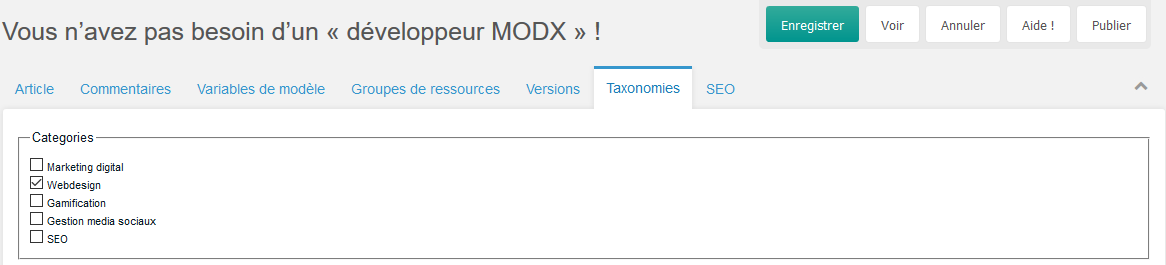
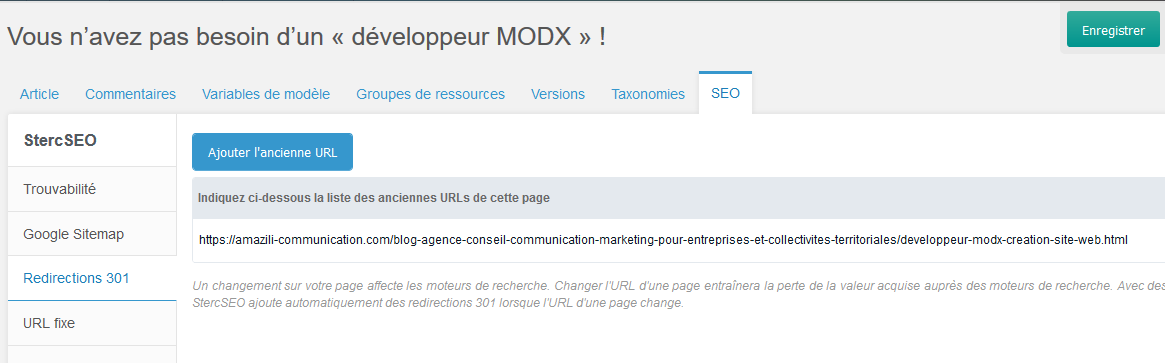
For an e-commerce site, there’s no need for a paid service to build your landing pages: you simply add a page, hide it from the menus with a tick box, and you’re done.
A single point of contact rather than nine extension developers
What happens when a site relies on fifty extensions, written by just as many developers, and you need to change something? Every update becomes a gamble, and every question a treasure hunt through support channels that may or may not respond. As another MODX developer, Josh Curtis, noted: “Everything’s fine until the day you need to change something that can’t be sorted with a tick box.”
We prefer to give our clients as much control and freedom as possible, with a consistent foundation and a single point of contact who takes responsibility for it.
Before leaving MODX, ask yourself two questions
Sometimes a service provider will advise you to abandon MODX. The reason is often straightforward: they have their own tools, and they know them well. Before paying for a migration, ask yourself why they’re so attached to those particular tools, and whether you want to limit your choices to a group of service providers who only know those tools.
And if your MODX site handles complex requirements, developing it might take more than an hour, but rarely any longer than on another platform: its ability to scale is one of the reasons people choose it.
What if you really do need a MODX developer?
For complex requirements, it’s best to go with an agency that knows MODX inside out. That’s been our speciality since 2007: we develop bespoke websites and applications using MODX, we provide hosting and maintenance, and we take over MODX sites created by others.
We’ve also built ArteZya, a no-code content management system, on top of MODX: pages are assembled using blocks, and your teams no longer even need to touch HTML.
About this post
This post revisits and updates the ideas from an article by Anne Miles, director of the agency Red Toad Media, a trained graphic designer and WordCamp speaker, which Philippe Delberghe adapted into French in 2016.